

10 Best Video Editing Software for Creators
Whether you are editing short-form content for TikTok or long-form documentary videos for YouTube, we've curated the absolute best video editing tools that offer advanced AI features and easy workflows.
In the modern digital economy, video content is no longer an optional marketing strategy; it is the absolute foundation of audience engagement. From short-form reels that capture millions of fleeting views to deeply researched, hour-long video essays on YouTube, visual storytelling is what builds brands today. If your goal is to successfully make money online, ignoring video is the fastest way to become irrelevant. Consumers expect high production value, crisp audio, and seamless transitions, meaning the native editor on your smartphone simply will not cut it anymore.
Whether you are running an intricate affiliate marketing channel where you review tech products, embedding multimedia into your blogging strategy to increase page dwell time, or launching an overarching online business, you need reliable software tools. The video editing landscape has transformed drastically over the past few years. We have moved far beyond clunky, crash-prone desktop apps. Today's market features intelligent SaaS tools integrated with artificial intelligence, cloud rendering, and collaborative workspaces. In this comprehensive guide, we will explore the top 10 video editing platforms available right now, helping you choose the perfect marketing tools to elevate your content and captivate your global audience.
Table of Contents
- 1. Adobe Premiere Pro: The Industry Heavyweight
- 2. Final Cut Pro: The Mac Optimization King
- 3. DaVinci Resolve: Hollywood-Grade Color Grading
- 4. CapCut: The Short-Form Viral Catalyst
- 5. Descript: The Text-Based Editing Revolution
- 6. Camtasia: Unbeatable for Screen Recording
- 7. Wondershare Filmora: The Beginner’s Best Friend
- 8. Veed.io: The Cloud-Based Collaboration Hub
- 9. LumaFusion: Elite Mobile and Tablet Editing
- 10. Canva Video: Fast Social Media Marketing
- Conclusion
- Frequently Asked Questions (FAQs)
1. Adobe Premiere Pro: The Industry Heavyweight
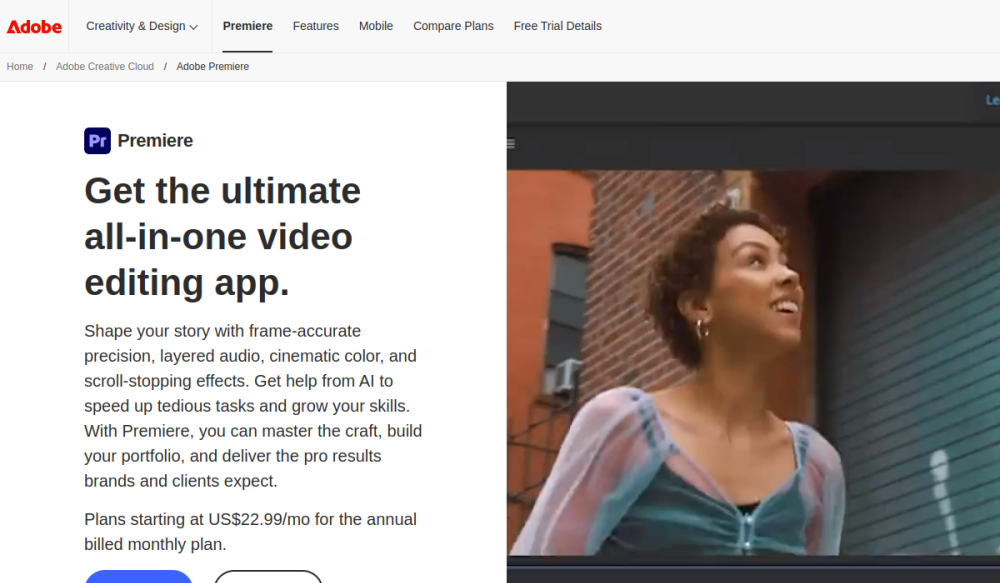
When you talk about professional video editing, Adobe Premiere Pro is the first name that enters the conversation. It is the undisputed industry standard, used by everyone from high-end YouTube creators to Hollywood production studios. Its integration with the broader Adobe Creative Cloud ecosystem makes it an absolute powerhouse for creators who need to move assets seamlessly between Photoshop, Illustrator, and After Effects.
Premiere Pro has recently heavily invested in AI-driven features. Its auto-reframing tools automatically adjust widescreen footage to vertical formats for social media, and its text-based editing allows you to cut video simply by deleting words in a generated transcript.
Pros and Cons
- Pros: Unmatched feature set; massive library of third-party plugins; seamless integration with Adobe After Effects for complex motion graphics.
- Cons: The monthly subscription model can be expensive; the interface has a steep learning curve for complete beginners; requires a powerful computer to run smoothly.
Explanation: If you are running an online business that relies on a team of editors, Premiere Pro is the safest bet. Because it is the industry standard, finding freelance editors who already know the software inside and out is incredibly easy.
2. Final Cut Pro: The Mac Optimization King

For creators firmly entrenched in the Apple ecosystem, Final Cut Pro is often the ultimate destination. Apple designs both the hardware (MacBooks) and the software (Final Cut), resulting in optimization that is nothing short of miraculous. You can scrub through heavy 4K or even 8K footage on a standard MacBook without the software stuttering or dropping frames.
Final Cut utilizes a "Magnetic Timeline," which automatically snaps clips together, preventing gaps and making the editing process feel incredibly fluid and fast. For vloggers and run-and-gun creators, this speed translates to publishing content much faster.
Pros and Cons
- Pros: Blazing fast render speeds on Mac computers; intuitive magnetic timeline; it is a one-time purchase, not a monthly subscription.
- Cons: Only available on macOS; the magnetic timeline can frustrate veteran editors used to traditional track-based editing.
Tip: If you are a solo creator looking to make money online without paying recurring monthly fees for SaaS tools, the one-time $299 cost of Final Cut Pro pays for itself in less than a year compared to subscription-based alternatives.
3. DaVinci Resolve: Hollywood-Grade Color Grading
DaVinci Resolve started as a specialized tool purely for color correction, but it has evolved into one of the most comprehensive video editing suites on the market. It features a unique node-based architecture for effects, which offers much more granular control than traditional layer-based editors.
The most shocking aspect of DaVinci Resolve is its pricing model. The free version offers about 90% of the features a professional creator will ever need, making it the greatest value proposition in the entire software tools industry. If you want to elevate the visual aesthetic of your content, this is the tool to master.
Pros and Cons
- Pros: The best color grading engine in the world; incredible free version; Fairlight audio post-production built right in.
- Cons: The node-based interface is highly complex and confusing for beginners; requires a robust graphics card (GPU) for heavy rendering.
Explanation: A node-based workflow means instead of stacking effects on top of each other, you connect them via visual wires. This allows you to route specific parts of an image (like isolating only the color of a subject's shirt) to a specific effect without altering the entire video clip.
4. CapCut: The Short-Form Viral Catalyst

When the explosion of short-form video took over the internet, CapCut rose to dominance. Owned by ByteDance (the parent company of TikTok), this tool is precision-engineered to make videos go viral. What used to take hours in Premiere Pro—like syncing cuts to a music beat, adding dynamic text animations, and applying trending filters—can be done in seconds with CapCut.
Originally a mobile app, the desktop version of CapCut is surprisingly powerful and completely dominates the short-form content space. If your affiliate marketing strategy relies on generating massive organic reach through Shorts or TikToks, CapCut is mandatory.
Pros and Cons
- Pros: Effortless auto-captions; massive library of trending transitions and sounds; incredibly fast workflow for vertical video.
- Cons: Lacks the deep organizational and color grading features required for long-form documentary storytelling.
Tip: CapCut's auto-caption feature is a game-changer. Since a massive percentage of mobile users scroll social media with their sound muted, engaging and dynamic on-screen text is the single biggest factor in retaining viewer attention.
5. Descript: The Text-Based Editing Revolution

Descript has fundamentally changed the paradigm of video and audio editing. Instead of staring at a complex timeline of audio waveforms, Descript automatically transcribes your video. You edit the video simply by editing the text document. If you delete a sentence from the transcript, the software automatically cuts that exact section out of the video seamlessly.
This is an absolute lifesaver for podcasters, educators, and talking-head YouTubers. Furthermore, its "Overdub" feature uses artificial intelligence to clone your voice. If you misspoke a word during recording, you can simply type the correct word, and the software generates the audio in your exact voice to fix the mistake.
Pros and Cons
- Pros: Revolutionizes the speed of cutting interviews; removes "ums" and filler words with one click; excellent Studio Sound enhancement.
- Cons: Not suitable for heavily stylized, b-roll heavy, or narrative cinematic edits; relies heavily on internet connectivity for cloud transcription.
Explanation: Descript acts more like a word processor than a traditional video editor. This dramatically lowers the barrier to entry, allowing writers and bloggers who are intimidated by complex software to produce high-quality video content effortlessly.
6. Camtasia: Unbeatable for Screen Recording
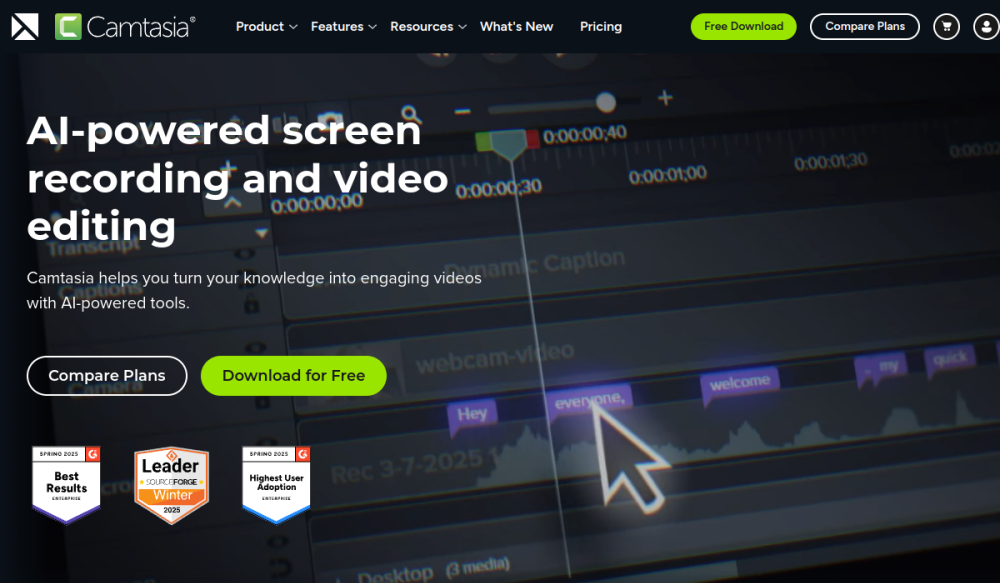
Not all creators make cinematic travel vlogs; a massive segment of the creator economy is built on educational content. For course creators, software reviewers, and B2B marketers, TechSmith Camtasia remains the gold standard. It is a screen recorder and video editor rolled into one highly cohesive package.
Camtasia excels at making boring screen recordings engaging. It allows you to automatically zoom in on mouse clicks, highlight specific areas of the screen, and easily drop in lower-third text graphics. If your online business involves teaching people how to use software tools, this is the best investment you can make.
Pros and Cons
- Pros: The most robust screen recording features available; very easy to learn; excellent for building premium online courses.
- Cons: Video rendering speeds can be slower compared to Final Cut; the price tag is relatively high for what is essentially a specialized tool.
7. Wondershare Filmora: The Beginner’s Best Friend

If you find Premiere Pro or DaVinci Resolve completely overwhelming, Wondershare Filmora is the perfect entry point. It bridges the gap between basic free editors and complex professional suites. Filmora utilizes a very straightforward drag-and-drop interface, allowing anyone to piece together a compelling video within minutes.
What makes Filmora shine is its massive built-in library of drag-and-drop effects, transitions, and title cards. You do not need to know how to animate a title from scratch; you simply pick a stylish template from their library and drop it onto your timeline. It is an excellent companion tool for supplementing a traditional blogging strategy with quick YouTube videos.
Pros and Cons
- Pros: Very gentle learning curve; massive library of pre-built effects and stock media; runs well on lower-end computers.
- Cons: Lacks the precise fine-tuning required by professional colorists and audio engineers; the free version exports with a massive watermark.
8. Veed.io: The Cloud-Based Collaboration Hub

Veed.io represents the shift toward cloud-based SaaS tools in the video editing space. You do not download Veed to your hard drive; the entire editor runs smoothly inside your web browser. This makes it incredibly versatile for marketing teams that need to collaborate remotely without transferring massive gigabytes of raw video files back and forth.
Veed is primarily positioned as one of the ultimate social media marketing tools. It features one-click translation, automatic subtitling, and a built-in progress bar generator (highly popular on LinkedIn and Twitter videos). It focuses on speed and social engagement over cinematic precision.
Pros and Cons
- Pros: No heavy software installation required; excellent auto-subtitling and translation; brilliant for collaborative social media teams.
- Cons: Being browser-based, you are entirely reliant on a fast, stable internet connection; cannot handle massive multi-camera 4K projects efficiently.
Explanation: For an online business focusing heavily on LinkedIn or Twitter, Veed allows you to take a raw Zoom recording, automatically generate subtitles, add your brand's custom fonts and progress bar, and export a social-ready video in under ten minutes directly from Chrome.
9. LumaFusion: Elite Mobile and Tablet Editing

Not all creators want to be chained to a desk. For travel vloggers, mobile journalists, and iPad enthusiasts, LumaFusion is the undisputed king of mobile video editing. Unlike most watered-down mobile apps, LumaFusion provides a genuine, multi-track editing experience that rivals desktop software.
It supports external hard drives directly connected to an iPad Pro, allowing you to edit massive 4K files seamlessly via a touch interface. It brings professional keyframing, audio mixing, and color correction to a portable form factor, empowering creators to edit and publish high-quality content directly from a coffee shop or airport terminal.
Pros and Cons
- Pros: The most powerful touch-based editor on the market; incredibly stable; one-time purchase fee.
- Cons: Touch-editing is fundamentally slower for complex narrative cuts compared to using a traditional mouse and keyboard shortcuts.
10. Canva Video: Fast Social Media Marketing

Canva is globally famous for democratizing graphic design, but their recent foray into video editing has made massive waves in the creator economy. Canva Video is not meant to edit a feature film; it is designed to help you create stunning promotional videos, YouTube intros, and Instagram Stories in seconds.
It leverages Canva’s gigantic library of stock footage, animations, and royalty-free music. If you are launching a new product and need a quick, highly professional teaser video, Canva allows you to drag your logo onto a beautifully pre-animated video template and publish it immediately. It acts as an essential bridge between static graphic design and full-scale video production.
Pros and Cons
- Pros: Zero learning curve for existing Canva users; massive library of premium templates and stock assets; browser-based.
- Cons: Extremely limited timeline controls; no advanced audio mixing or color grading; completely unsuitable for long-form content.
Conclusion
The barrier to entry for high-quality video production has never been lower. However, selecting the right software depends entirely on what you intend to create. If you are building a professional editing agency, Adobe Premiere Pro and DaVinci Resolve are non-negotiable skills. If your entire strategy revolves around driving affiliate marketing sales through fast-paced TikToks, CapCut will be your primary weapon.
Do not fall into the trap of believing that the most expensive, complex tool will automatically make your videos better. An engaging story edited on a basic platform will always outperform a boring video edited on a Hollywood-grade system. Identify your primary distribution channel, utilize the free trials mentioned above, and commit to mastering the platform that feels most intuitive to your creative workflow. By integrating video into your overarching strategy today, you guarantee your brand's visibility in 2026 and beyond.
Frequently Asked Questions (FAQs)
1. Which video editing software is best for absolute beginners?
For absolute beginners, CapCut (for short-form mobile content) and Wondershare Filmora (for traditional desktop editing) are the best choices. They feature intuitive, drag-and-drop interfaces and pre-built templates that allow you to create polished videos without understanding complex editing theory.
2. Do I need an expensive, powerful computer to edit video?
It depends on the software and footage. Editing 4K footage on Adobe Premiere or DaVinci Resolve requires a powerful GPU and significant RAM. However, if you use cloud-based SaaS tools like Veed.io or edit 1080p footage using CapCut or Filmora, a standard modern laptop is more than sufficient.
3. Can I monetize videos edited on free software?
Yes, absolutely. Platforms like YouTube and TikTok do not care what software you use to edit your content. However, be cautious with certain free tiers (like the free version of Filmora), which export videos with a large software watermark across the screen, making the content look highly unprofessional to viewers.
4. How do I choose between subscription software and one-time purchase software?
Subscription models (like Adobe Premiere) ensure you always have the latest features and AI updates, but you rent the software forever. One-time purchases (like Final Cut Pro or LumaFusion) require a higher upfront cost but save you significant money over several years. If video is a core part of how you make money online, the subscription cost of an industry-standard tool is easily justified as a basic business expense.
