

Introduction
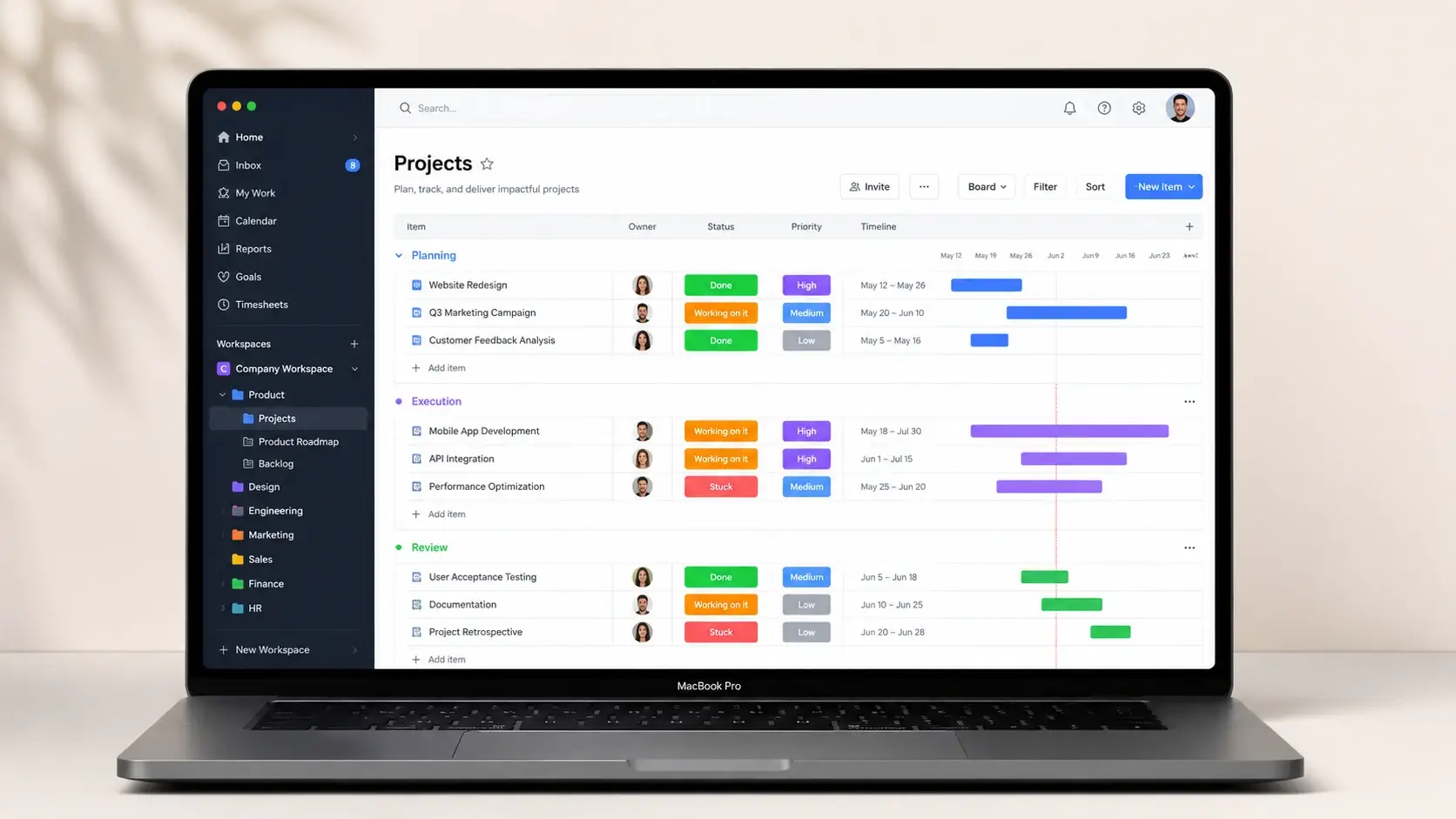
Founded in 2012 as dapulse (before undergoing a very necessary rebranding in 2017), monday.com is a cloud-based Work Operating System (Work OS). In simple English, it is a highly customizable digital workspace where your team can plan, track, and execute their daily tasks and massive long-term projects all in one place. Today, it serves hundreds of thousands of companies worldwide, ranging from small local bakeries tracking their weekly inventory to massive tech enterprises managing complex software releases.
What makes this tool unique is its fundamental architecture. Instead of forcing you to adapt to a rigid, pre-defined task list, monday.com gives you a flexible sandbox. You start with a “Board” (think of it as a supercharged spreadsheet) and add “Columns” to track exactly what matters to your business—whether that is a simple status dropdown, a specific date, a budget number, or a file attachment.
This matters because it bridges a massive gap in the SaaS market. Most project management tools are either too simple (acting like digital sticky notes) or completely overwhelming (requiring a dedicated IT administrator to set up). monday.com sits comfortably right in the middle. It gives non-technical users the ability to build sophisticated, interconnected databases to run their entire operations without writing a single line of code, replacing the need for separate tools like Trello, Asana, and Excel.
Quick Verdict
I recommend this tool highly for marketing agencies, growing mid-sized operational teams, and cross-functional departments that need to share data without getting bogged down in highly technical software. The sheer ability to switch between a Kanban view for your daily tasks and a high-level Gantt chart for executive planning is a fantastic time-saver. Plus, the visual automation builder actually makes setting up background rules enjoyable—which is not something I say often about enterprise software.
Rating Breakdown
Pros & Cons
What we like
- Highly Visual and Color-Coded Interface
- Incredible Structural Customization
- Time-Saving Visual Automations
- Multiple Data Views from a Single Source
Where it falls short
- Frustrating Seat Minimums
- The Basic Plan is Too Restricted
- Hidden Costs for AI Features
Key Features
Work OS Boards & Columns
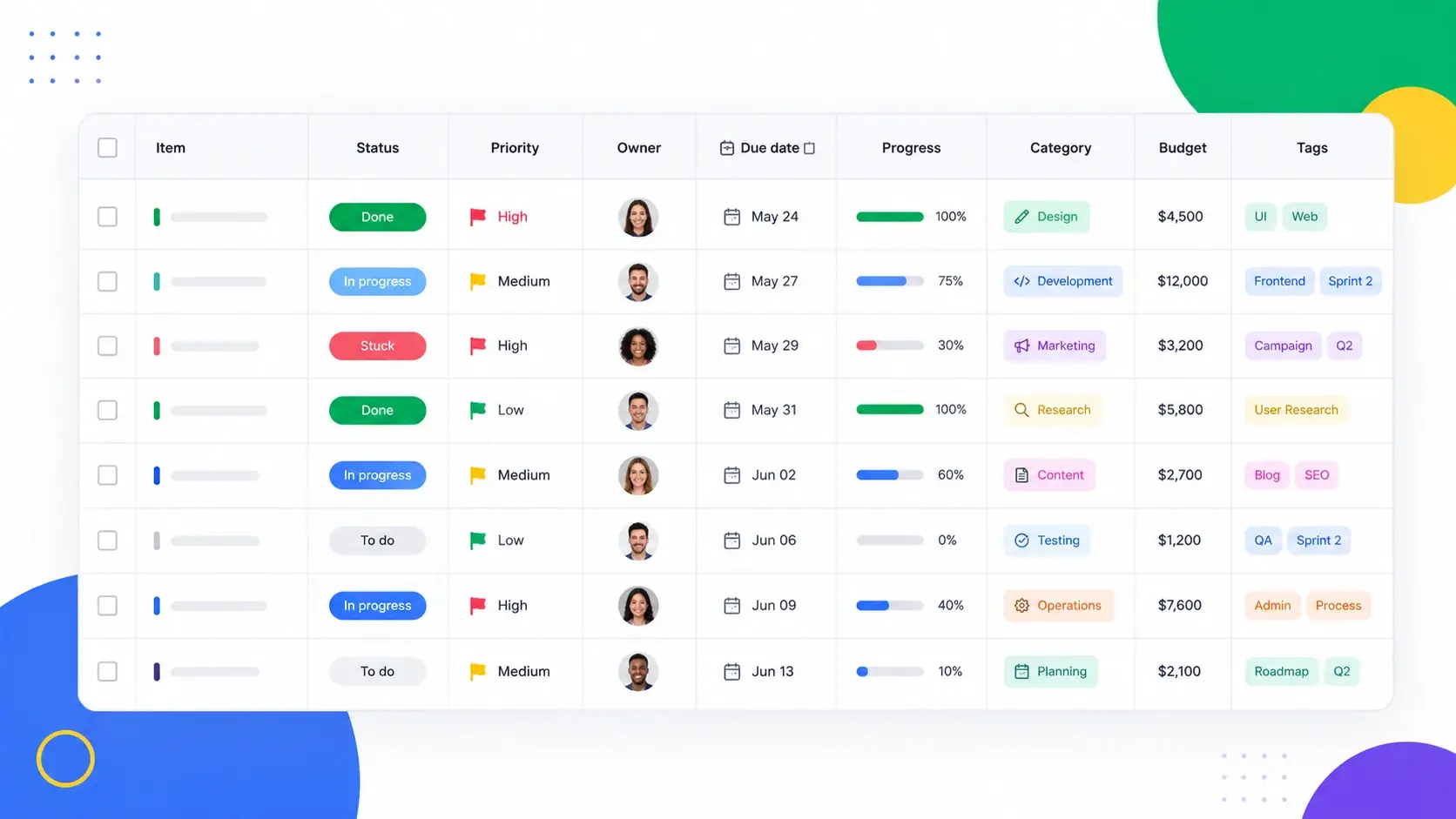
The absolute foundation of monday.com is its board system, which functions as a flexible, easy-to-read database that anyone can understand. You start with a blank grid and populate it with distinct columns designed for specific data types—like assigning a person, picking a deadline, inputting a monetary budget, creating a dropdown label, or uploading a PDF proof. It matters because it completely eliminates the need to jump between five different apps to understand a project's real status. What makes this better than a tool like Trello is the sheer depth of data architecture; Trello gives you a flat visual board, whereas monday.com lets you build a relational database. For example, an event planning company can have a column for "Venue Cost", another for "Catering Cost", and a formula column that automatically calculates the total event budget variance right on the main screen.
Code-Free Visual Automations
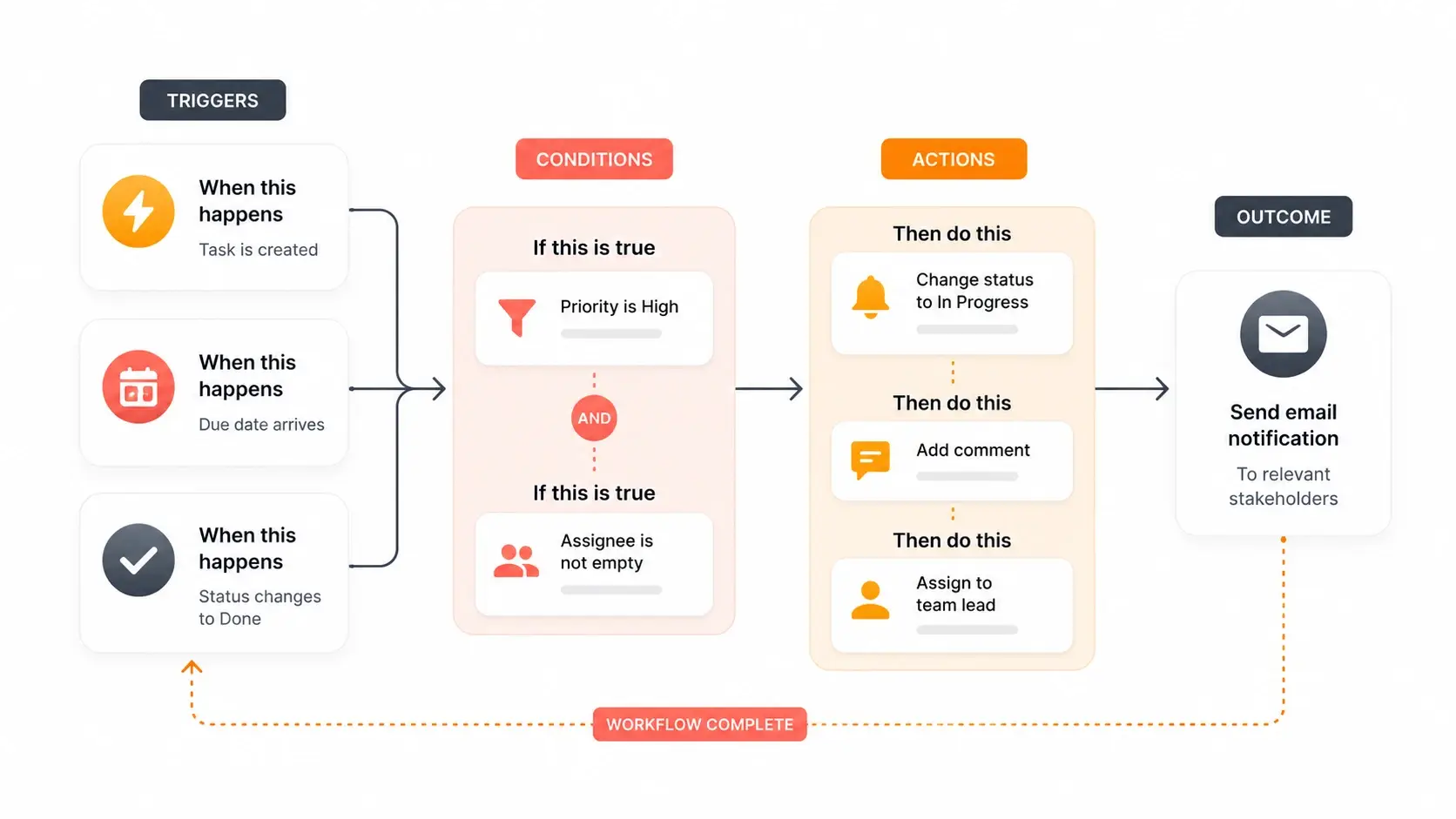
The platform features an intuitive automation builder that actively handles the boring, repetitive tasks your team hates doing manually. Using simple dropdown menus, you can build logic rules like "Every Friday at 4 PM, create a recurring task for Weekly Reporting and assign it to Sarah." This matters immensely because it reduces human error and frees up your employees to focus on actual strategic work instead of administrative housekeeping. It stands out from competitors because it is highly visual and requires zero coding knowledge, unlike Jira, which often requires a trained IT administrator to set up complex logic. In a practical example, I set up a custom automation where any incoming email to our support address automatically creates a new row on a specific board, tags the on-call representative, and starts a timer.
Dynamic Data Views (Kanban, Gantt, Timeline)
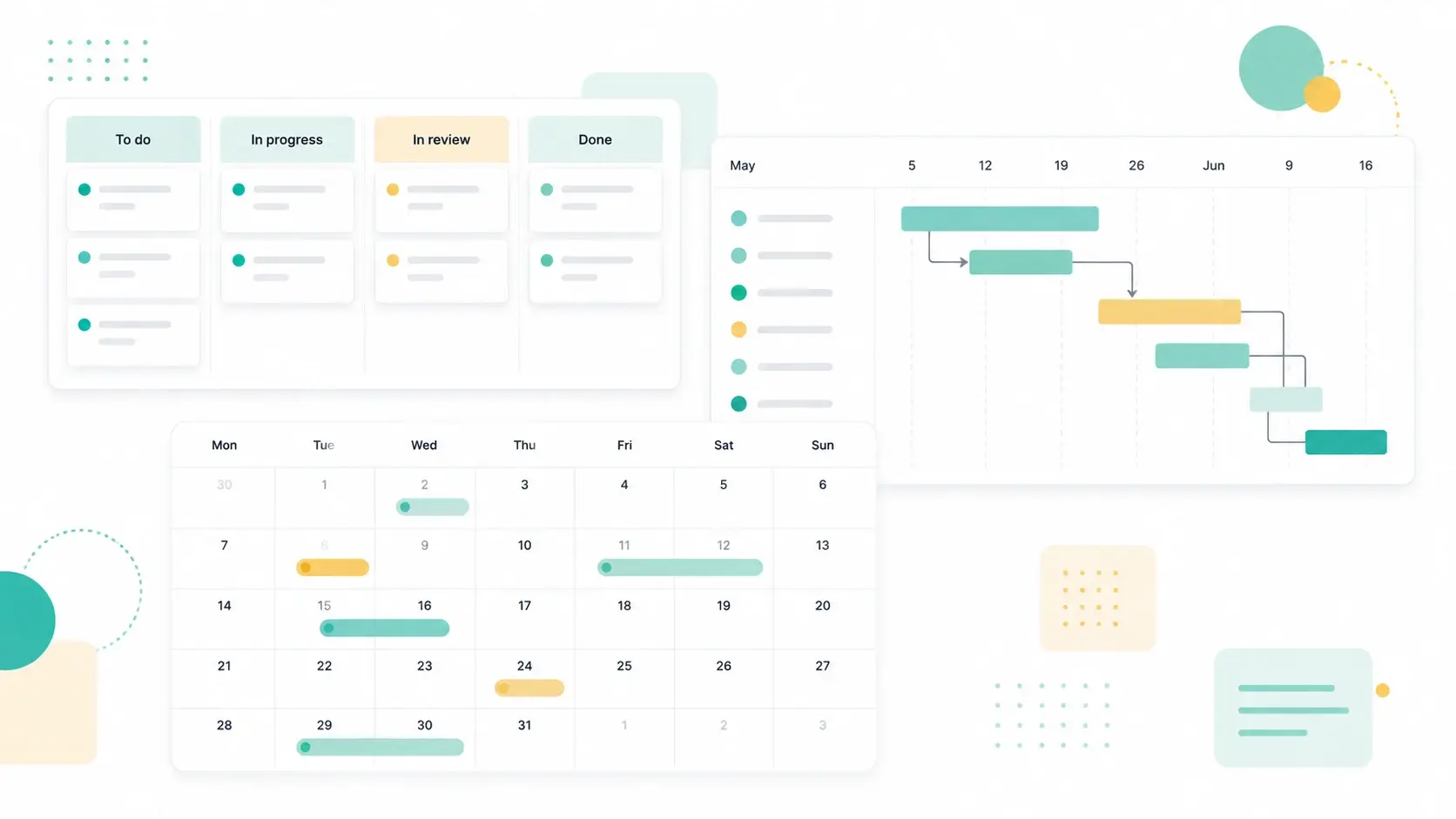
Once you have your data securely organized in the main grid, monday.com allows you to visualize it in over ten different formats with just one click of your mouse. You can switch to a Kanban board, a chronological timeline, a standard calendar, a map, or a detailed Gantt chart. This matters heavily because different stakeholders process information differently; your creative team needs visual cards to track design assets, but your investors need a long-term Gantt roadmap to track funding milestones. This flexibility is vastly superior to rigid platforms that charge extra for basic Gantt functionality or lock you into one view entirely. As a practical example, our marketing director uses the Calendar view to see our publishing schedule for the month, while our writers stick to the main grid to see their specific word count targets and daily deadlines.
Real-Time Dashboards & Reporting
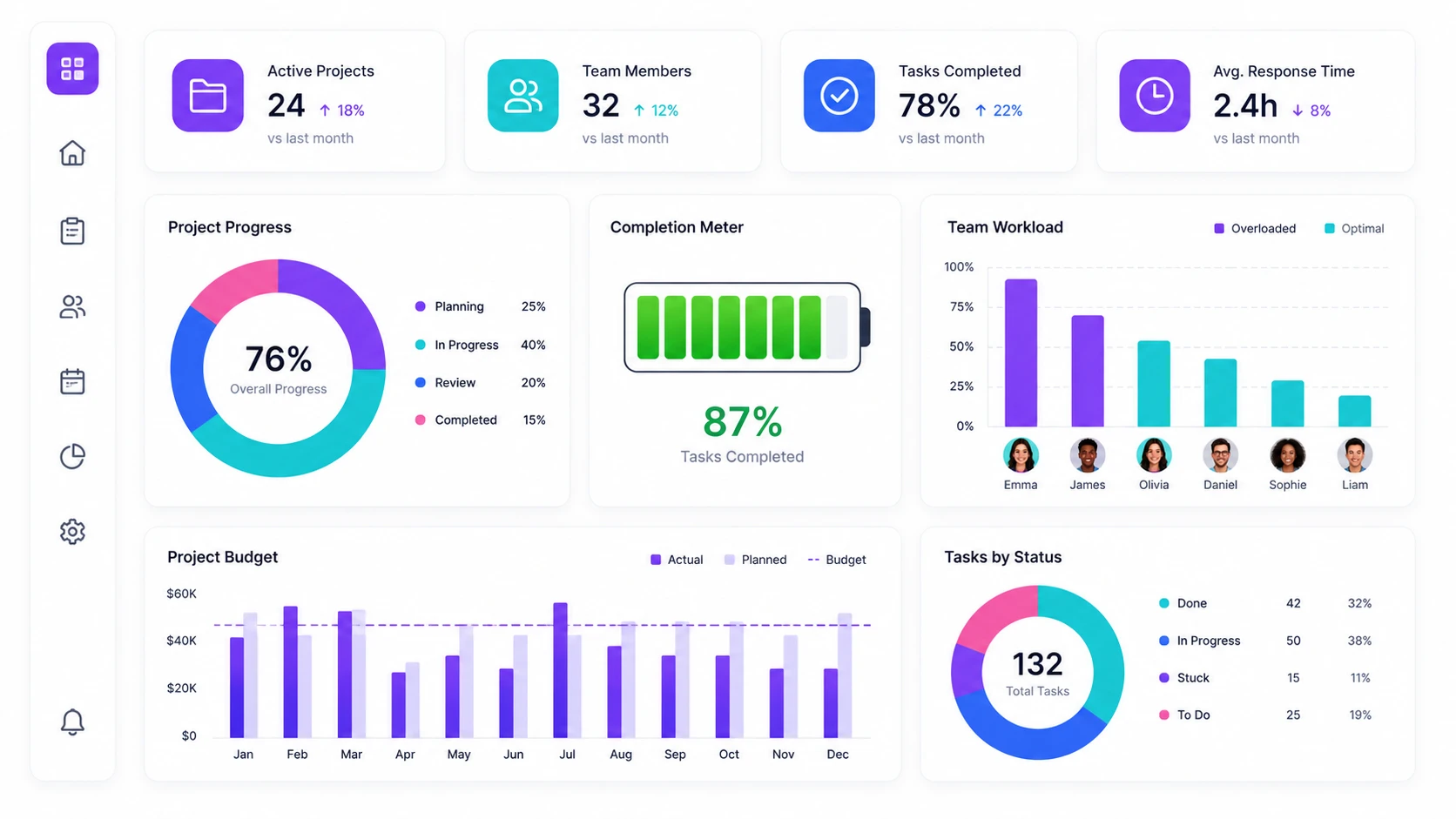
Dashboards serve as a centralized command center, allowing you to pull live data from multiple different working boards into one highly visual screen using customizable widgets. You can add a battery meter showing overall project progress, a pie chart breaking down task statuses across the whole company, or a workload widget showing who is overworked this week. This is vital for executives and managers who need to make data-driven decisions quickly without constantly pinging their staff on Slack for updates. The widget-based drag-and-drop builder is significantly more user-friendly than the clunky reporting modules found in older legacy systems. We use a custom dashboard to track our monthly freelance budget across three different departmental boards, ensuring we never accidentally overspend without realizing it.
Contextual Team Communication (Updates)
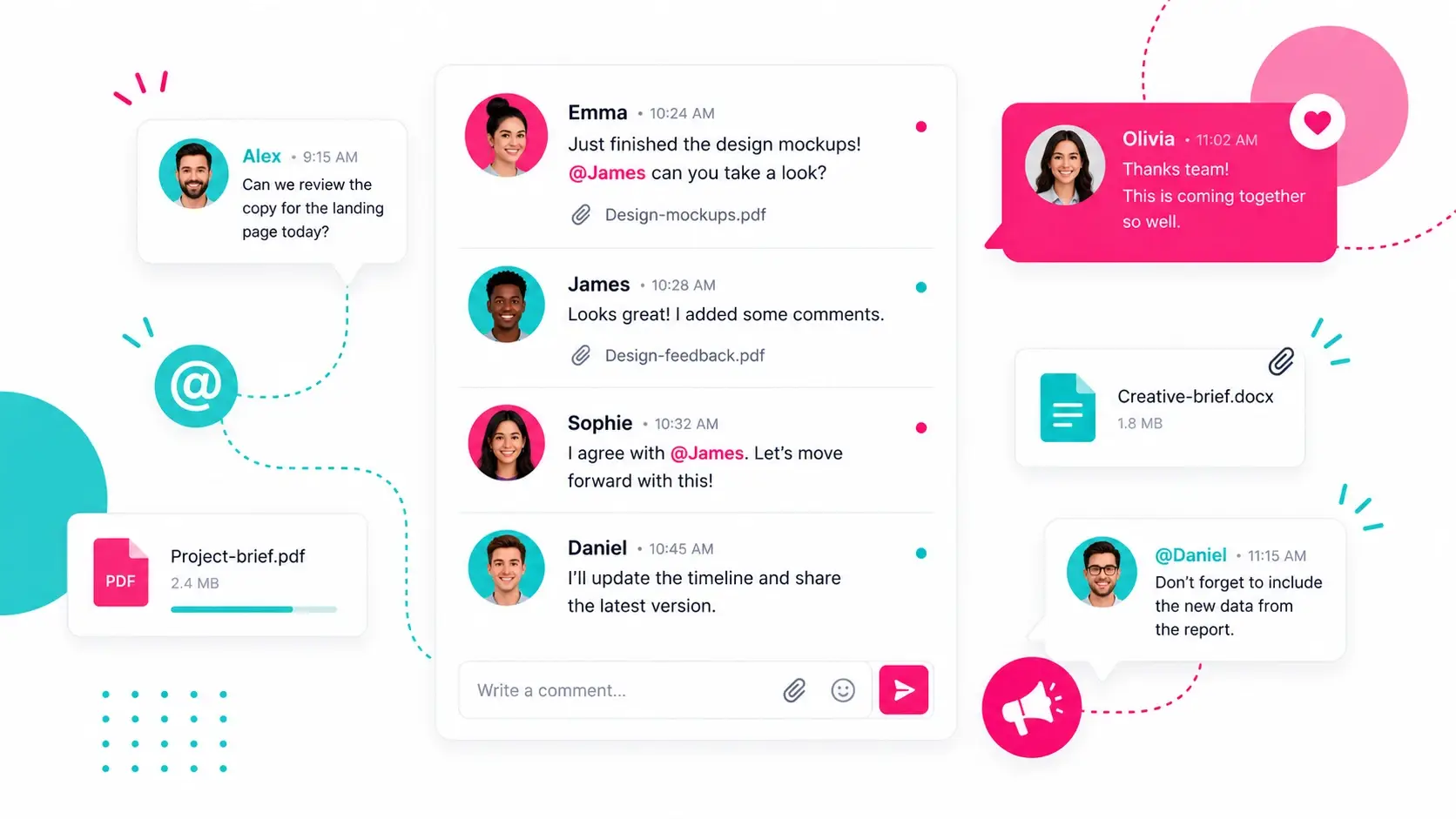
Every single task (referred to as an "item" in the system) on a board has a dedicated "Updates" section that works exactly like a focused social media feed for that specific piece of work. Team members can leave comments, tag colleagues using @mentions, attach feedback files, and even react with emojis directly inside the task. This matters because it completely kills the need for messy, disorganized email threads and lost messages, keeping all context tied directly to the deliverable itself. Compared to Asana, the communication style here feels much more engaging, natural, and conversational, which genuinely helps improve team culture. For example, when a designer uploads a logo draft into the item, the client can leave specific revision notes right in the reply thread, keeping a perfect historical record of the changes for future reference.
Pricing Plans (Updated for 2026)
Basic Plan
exclusively for small teams
- Unlimited customizable boards
- unlimited items/tasks
- 200+ pre-built templates
- iOS/Android mobile apps
- 5GB of file storage
Standard Plan
for teams needing actual project management capabilities
- Timeline and Gantt chart views
- Calendar view
- 250 automation actions per month
- 250 integration actions per month
- guest access for external clients
Pro Plan
for larger organizations, scaling startups, and agencies running highly complex, data-driven workflows
- Private hidden boards
- native Time tracking
- complex Formula columns
- advanced Chart views
- 25,000 automation/integration actions per month
How it Compares
| Features | Monday.com | Asana | Clickup |
|---|---|---|---|
| Automation | Visual,Plain English builder | Rules Available on paid tiers | Advanced but steep learning curves |
| Free Plan | Upto 2 users (very limited) | Upto 10 users (Good for basics) | Unlimited Users (Feature restricted) |
| Starting Price | $9/user/month | $10.99/user/month | $7/user/month |
| Best For | Visual workflow customization | Traditional task lists | All-in-one productivity |
| Integrations | 200+ (Excellent native option) | 200+ (Deep enterprise ties) | 100+ (Native & Zapier reliant) |
Final Verdict
However, let's talk facts and real numbers. I do not recommend monday.com if you are a solo freelancer or a tiny startup of two. The company rigidly enforces a three-seat minimum across all of its paid tiers. This means that even if it is just you, you will be forced to pay a minimum of $27 per month for the Basic plan (when billed annually). And quite frankly, the Basic plan completely lacks the automations and integrations that actually make the tool special. To experience real project management value, you will need to jump to the Standard plan, which sets your actual baseline cost at $36 per month for those three minimum seats.
Ultimately, if you have a growing team of three or more, a solid operational budget, and a desperate need to centralize your daily workflow, the Standard or Pro plans are fantastic, highly scalable investments. You will easily regain hours of lost productivity simply by giving everyone a single, reliable source of truth. Stop guessing where your deliverables stand and try monday.com Free for 14 Days to see the operational difference for yourself.







Have you used Monday.com ? Share your experience with our community below!